

Help & support
1. Investigate the transaction
Some businesses process transactions using a different name and location. The location could be the main office, not where you made the purchase.
Here are some ways to investigate the transaction:
2. Contact the business (if applicable)
3. Choose the right dispute type
4. Prepare supporting documents (if applicable)
For unauthorised transaction disputes, we'll have to cancel and replace your card to protect your account from further unauthorised activity. But don’t worry, you’ll still be able to make purchases using your digital card found in the CommBank app while you wait for your new card to arrive.
For extra control and security, put a temporary lock1 on your debit card or credit card. Review your digital wallets and delete any cards you don’t recognise or no longer use. To do this, log on to the CommBank app, tap “Cards”, then “Card settings” and “Review digital wallets”.
For Corporate Cards, message us in the CommBank app or call us any time on 13 1576.
To continue making payments while you wait for a new card, you can use your digital card straight away, before your physical card arrives in the mail. If you’ve already set up your digital wallet, you can keep using your phone to make payments securely.2
If you have an Everyday Transaction Account, you can also withdraw cash using QR Cardless - the safe way to make transactions without a card or PIN, using the CommBank app at compatible CommBank ATMs.
When to choose this dispute type
A transaction has been made using your card without your knowledge, or the knowledge of anyone who has access to your card.
If you accidentally bought a subscription service instead of making a one-off payment, don’t use this dispute type. First try to resolve it with the business, then dispute it under ‘subscription payments’.
What you’ll need to do first
Some businesses process transactions using a different name, which is why the business name may appear different. The location listed on some transactions may be where the main office of the business is located, not where the transaction was made.
Here are some ways to help investigate the transaction.
Be aware, if a transaction you made is disputed as an unauthorised charged, the business may block you from making future payments.
Documents/information required
None
When to choose this dispute type
You made the transaction, but the business hasn’t delivered the goods or service.
What you’ll need to do first
Documents/information required
When to choose this dispute type
You provided your card details to a business and have authorised for them to take out recurring payments (e.g. subscriptions) or you authorised a one-off payment without realising you signed up to a subscription/recurring payment.
You’ve contacted the business to cancel the recurring payment, but they’ve continued to debit your account. You’ve tried to contact the business but were unsuccessful in reaching them.
Note: Disputing a subscription payment will not block future charges. You’ll need to contact the business to cancel the recurring payment arrangement.
What you’ll need to do first
Documents/information required
When to choose this dispute type
You’ve authorised a transaction for goods or services, however:
This led to you paying more than once for the same goods/service.
Example: You purchased an item using your card, however the business advised the transaction declined. You then used another payment method, such as a different card, cash, gift card etc.
What you’ll need to do first
Documents/information required
When to choose this dispute type
You’ve authorised a transaction for goods/service but were charged more than once by mistake.
To use this dispute type, the duplicated transactions must have the exact same business name, transaction date and transaction amount. If not, you’ll need to consider another dispute type.
Documents/information required
None - the duplicate transactions will be visible on your CommBank accounts
When to choose this dispute type
You’ve authorised a transaction but were charged a different amount to what was confirmed at time of purchase.
What you’ll need to do first
Documents/information required
When to choose this dispute type
You’ve authorised the purchase of goods/service, and the business has agreed to provide you a refund, however this hasn’t been received yet.
This dispute type also covers where a business has a cancellation policy (e.g. free cancellation within 48 hours), which hasn’t been honoured.
Note: If you’ve requested a refund and the business hasn’t agreed, you’ll need to consider another dispute type.
What you’ll need to do first
Documents/information required
When to choose this dispute type
You’ve purchased goods/service and it’s been delivered by the business, however it’s not as described and/or is defective.
Note: This won’t cover personal preference, quality of goods or service provided (e.g. massage was too rough, music was too loud, food was cold).
Examples include: Purchased men’s shoes and received a women’s jacket. Purchased a brand-new item and receive a broken/used/damaged item.
What you’ll need to do first
Documents/information required
When to choose this dispute type
You have requested cash out during check-out in a store, but you did not receive some or all of the cash requested.
What you’ll need to do first
Documents/information required
None
If you want to raise a dispute, here’s how to contact us:
- In the app: go to the transaction you want to dispute and select ‘Get help with this transaction’, then ‘Dispute transaction’
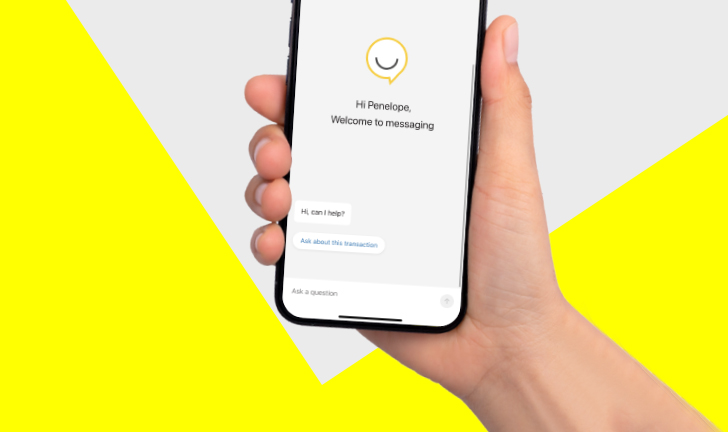
Get instant help from Ceba in the CommBank app or connect with a specialist who can message you back. You’ll need CommBank app notifications turned on so you know when you’ve received a reply.
1 Cancelling your card or applying a temporary lock to your card won’t stop all transactions including digital wallet transactions (such as Apple Pay and Google Pay or CommBank Tap & Pay), some online transactions where the business has stored your card details, and any transaction not sent to us for authorisation (e.g. transactions processed when there’s a system interruption).
2 Digital and mobile wallets (e.g. CBA Tap & Pay, Apple Pay) allow you to make payments with your digital device while hiding your card info from stores and businesses. Adding your card to a digital wallet encrypts the card number replacing it with a token number instead. This means your card isn’t stored on the device or ever shared with you when you process your payment.
3 The CommBank app is free to download however your mobile network provider charges you for accessing data on your phone. You should refer to your mobile phone plan or contact your provider to find out more. Terms and conditions are available on the CommBank app. NetBank access with NetCode SMS required. Find out about the minimum operating requirements on the CommBank app page.
4 In exceptional circumstances disputes can take up to 45 calendar days to resolve.


